The Thread That Changed How I Thought About Bluesky
I posted a single long text on Bluesky once. It got maybe ten likes. A week later I took the same idea and broke it into a 12-post thread. Same content, just split up differently. That thread got shared around a bit, a few people with big followings reposted it, and it brought in a couple hundred new followers.
Bluesky gives you 300 characters per post, 20 more than Twitter used to. That does not sound like much, but it changes how you write. Threads work better than single posts when you have something that needs more room. The algorithm seems to favor threads—maybe because they keep people on the platform longer, maybe because they generate more engagement. Either way, I've found threads get more visibility than single posts with the same content.
The problem is formatting. Splitting text manually, making sure each segment fits, adding thread numbers, keeping track of where you are—that friction adds up. I kept having to switch between apps or use awkward workarounds. So I built a composer that handles the formatting.
What This Tool Does
The composer counts characters as you type, showing you exactly how much room you have left in Bluesky's 300-character limit or Threads' 500-character limit. When your text exceeds the limit, it splits at sentence boundaries and automatically numbers your posts (1/5, 2/5, etc.). Everything stays in your browser. No servers, no accounts, no tracking.
- Live character counting for Bluesky (300) and Threads (500)
- Smart splitting at sentence boundaries so posts read naturally
- Automatic thread numbers like 1/n, 2/n, etc.
- Emoji handling that correctly accounts for how platforms count them
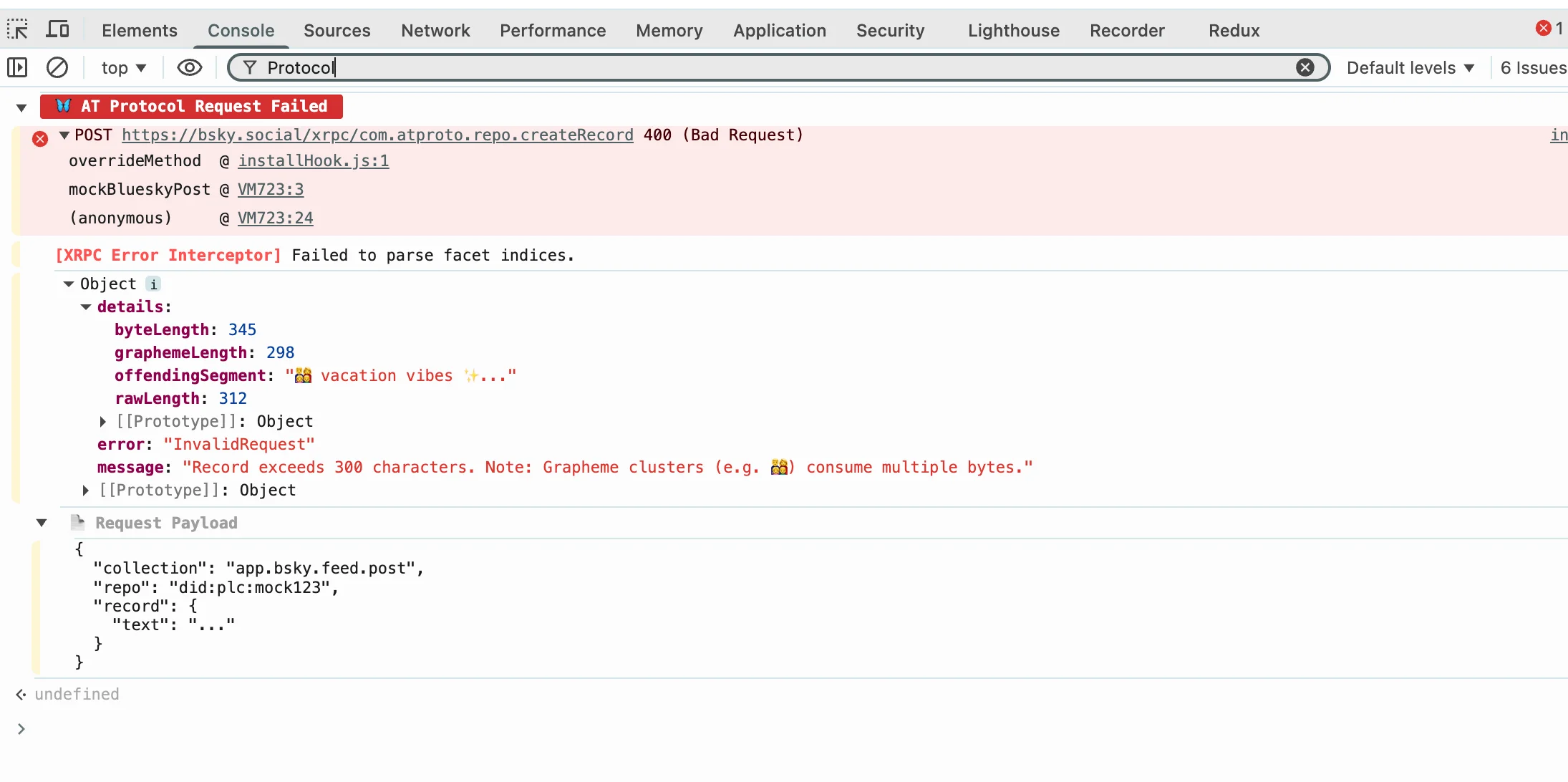
.length — it breaks on Emoji. Must use Intl.Segmenter.Copy each post separately so you can paste them into Bluesky one at a time
What I've Learned About Threads
Threads with 5 to 10 posts tend to do better than single posts in my experience. They work well for stories, tutorials, or making an argument that needs more space to develop. Too few posts and you might as well just do a single post. Too many and people lose interest or forget what the thread was about.
The opening post is critical. It's what shows up in the preview, what people see when deciding whether to tap into the thread. Put your best line first—a hook that makes people want to read more. The middle posts can be more expository. The last post should have something worth engaging with: a question, a call to action, a link.
Numbering your threads is essential. People need to know where they are in the sequence. Without numbers, threads are confusing to follow, especially if someone bookmarks them and reads later or shares them out of order.
The AT Protocol and What It Means for Threading
Bluesky runs on the AT Protocol, which is different from Twitter's older architecture. One practical implication: posts are stored as individual records with references to each other. This means threads are "real" in the sense that each post is a distinct object that can be quoted or referenced independently.
Another implication is that you can edit posts within 5 minutes of posting. After that, Bluesky locks them. This is different from some other platforms. Plan your threads accordingly—once something is posted, you're stuck with it after the edit window closes.
Mentions and hashtags work normally, but remember they count toward your character limit. A hashtag like "#development" is 12 characters plus the space before it. Those add up faster than you'd think.
Privacy and Local Processing
Everything runs locally in your browser. No servers, no accounts, no tracking. The text you compose never leaves your device until you manually copy it and paste it into Bluesky. This matters to some people more than others, but I figure if you're concerned about privacy in your social media usage, local-only tools are the way to go.
Common Questions
Does it post for me automatically? No. You copy each post and paste it yourself. The tool generates properly formatted posts with thread numbers, but you control what gets posted and when.
Can I edit after posting?Bluesky allows edits within 5 minutes of posting. After that, you're locked in. Plan your thread before posting to avoid needing to edit after the fact.
What about mentions and hashtags? They work normally in Bluesky. Just remember they count toward your character limit.
Does this work for Threads too?Yes. Threads allows 500 characters per post, so the tool switches limits based on which platform you're targeting.
Written by Bai Shuang, a full-stack engineer with 16 years of Java/JavaScript experience, 10 years of Scala, and 8 years specializing in privacy-focused tools.
GitHub: @oldbig. Open source project: redux-lite - A lightweight React state management solution.