Why I Stopped Emailing Passwords
I used to email passwords to colleagues. "Hey, here's the staging server password" in a Slack message, then "wait, delete that after you use it." It felt wrong but I didn't have a better option.
Then I learned that cloud clipboard services, Slack messages, and emails all get stored on servers—sometimes forever. The password you sent three years ago might still be in someone's sent folder, backed up somewhere, logged by some system. For sensitive work, this is a nightmare.
URL encryption solves this differently. Instead of sending the secret over the network where it can be logged and stored, you encrypt it and put the encrypted blob in the URL itself. The password never travels over the network in cleartext. The recipient decrypts locally in their browser.
I built SecureShare because I needed something quick without setting up 1Password Teams or other enterprise tools. For one-time sharing, this works fine.
How Browser-Based Encryption Works
The Web Crypto API built into modern browsers handles the encryption. AES-256-GCM is the standard—it encrypts and authenticates data so anyone who intercepts it can't read it and can't tamper with it without detection.
PBKDF2 derives the encryption key from your password. This isn't a simple hash—it's 250,000 iterations of a slow function that makes brute-force attacks dramatically more expensive. A password that would take minutes to crack with a simple hash would take years with PBKDF2.
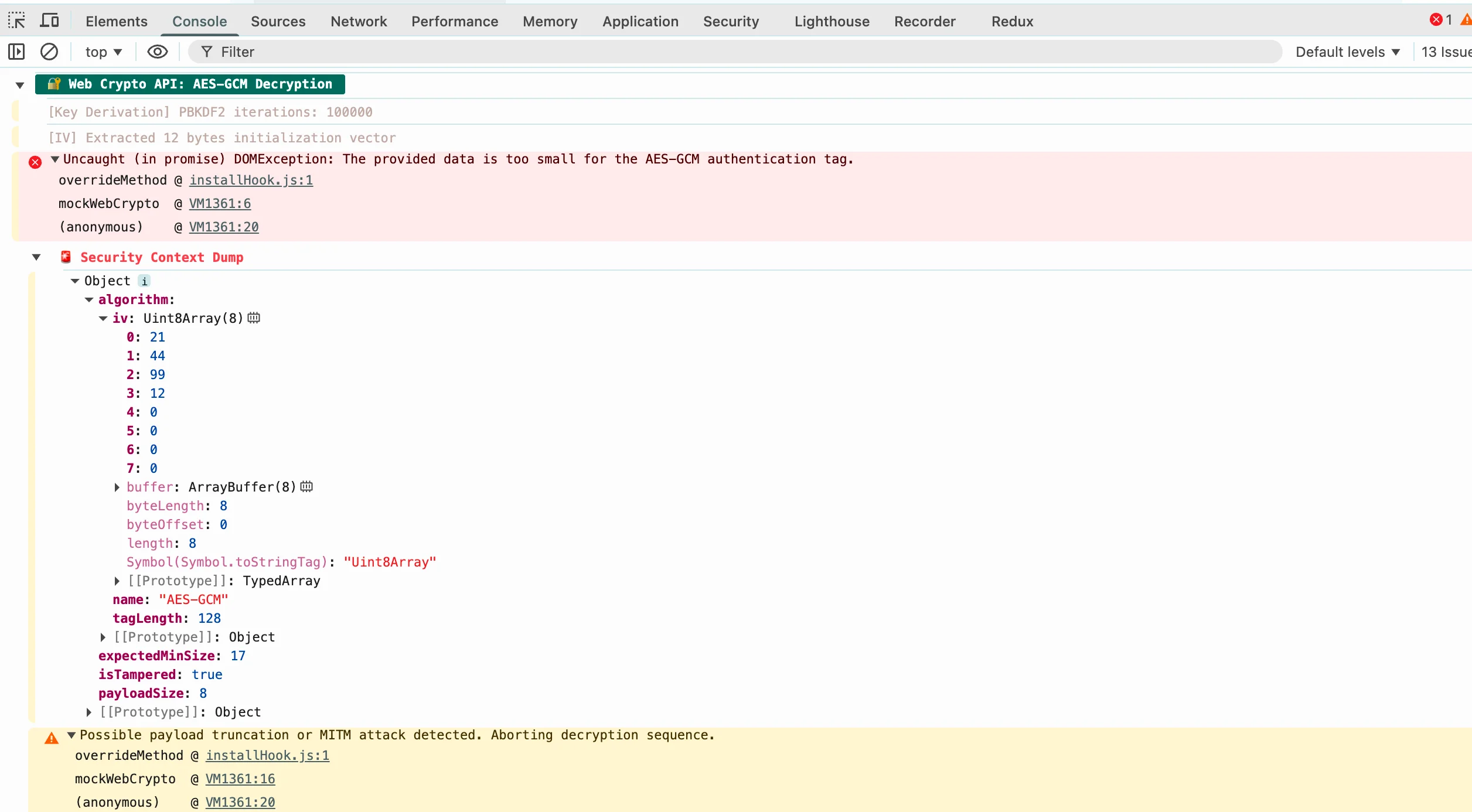
crypto-js v4.1.1 for compatibility, because I ran into a nasty vulnerability while testing v3.x and spent the entire night debugging it.Each encryption uses a unique IV (initialization vector). This means that encrypting the same text twice produces completely different ciphertext. An attacker can't tell if two encrypted messages contain the same content.
URL Encryption Details
When you encrypt a message, the tool produces a URL with the encrypted data in the hash (#) portion. The hash never gets sent to the server during the request—it's handled entirely client-side. This is important: if you send someone a URL like example.com#abc123, the server only sees example.com. The hash stays in your browser.
The encrypted data and IV are Base64-encoded and put in the URL. The salt for PBKDF2 is also included. None of this is secret—all of it is useless without the password.
To decrypt, the recipient needs both the URL and the password. Share them separately—password in Slack, URL in email, for example. Even if someone intercepts one, they can't decrypt without the other.
When to Use This vs Enterprise Tools
For personal or small-team use, this kind of browser-based encryption works well. No accounts to manage, nothing to configure, just encrypt and share.
For organizations with compliance requirements, enterprise tools like 1Password or Bitwarden have audit logs, expiration policies, and admin controls. They also have recovery options if someone forgets a password. This tool has none of that—forget the password and the data is gone.
Consider how long secrets need to live. For one-time sharing of credentials or sensitive text, browser tools are faster and more private. For ongoing secret management across an organization, enterprise tools make more sense.
Safety Tips
Use strong passwords. Short passwords can be brute-forced even with PBKDF2. Aim for 12+ characters. Use a password manager to generate and store them.
Share passwords separately from URLs. Send the URL one way and the password another. If someone intercepts both from the same channel, the encryption provides no protection.
Consider burn-after-reading.The tool supports clearing content after viewing. Enable this for the most sensitive sharing. Once the content is gone from the URL, there's nothing to intercept.
Don't rely on this for truly sensitive data. This tool is for convenience sharing, not for regulated data like healthcare records or financial information. For that, use proper compliance tools with audit trails and access controls.
Technical Standards
The encryption in this tool follows established standards. AES-256-GCM is part of the Web Crypto API, which is built into all modern browsers. It's the same algorithm used by governments and banks for sensitive data. PBKDF2 with 250,000 iterations follows OWASP recommendations for password-based key derivation.
None of the cryptographic implementation is custom—I'm using standard browser APIs with standard parameters. I didn't try to be clever with encryption. For this kind of one-time sharing, established standards are the right choice.
Written by Bai Shuang, a full-stack engineer with 16 years of Java/JavaScript experience, 10 years of Scala, and 8 years specializing in privacy-focused tools.
GitHub: @oldbig. Open source project: redux-lite - A lightweight React state management solution.